DDoS protection isn’t something you notice – until it fails. When sites go dark or services freeze up, the losses aren’t just technical. Contracts can get terminated, reputations take a hit, and SEO rankings slide faster than you’d expect. But the cost of protecting against DDoS attacks? That part isn’t one-size-fits-all.
Some businesses overpay for coverage they barely use, while others cut corners and leave critical assets exposed. The real challenge is figuring out what your business actually needs, where the cost comes from, and how to keep protection scalable without making it fragile. Let’s break that down.
Understanding DDoS Protection in Practical Terms
DDoS protection is one of those things most teams don’t talk about – until they’re suddenly under pressure to explain why a key system is offline. At its core, it’s about keeping your services available even when someone is deliberately trying to overwhelm them. Not all attacks are massive. Some are short and targeted. Others hit in waves, using botnets or app-layer exploits to knock out specific endpoints. Either way, downtime is rarely just a technical hiccup. It spills over into customer churn, lost revenue, SEO fallout, and internal fire drills.
The job of DDoS protection isn’t to make systems invincible. It’s to make sure your business can keep moving when things get noisy. That means filtering traffic at the right layers (not just the network), reacting fast, and knowing which systems need protection first. It also means designing infrastructure with this in mind – because overpaying for blanket coverage or underestimating real risks can both be expensive in the long run.
What Really Drives DDoS Protection Costs
DDoS protection pricing depends on a few very practical things. How your infrastructure is set up, how much traffic you handle, and what’s actually at risk if a service goes down all play a role. Some teams overspend by protecting everything by default. Others save upfront and end up exposed where it hurts most. Understanding the cost drivers early makes planning a lot calmer later on. Here’s what usually shapes the final price:
Number of protected IPs: More public-facing endpoints mean more surface area to defend and higher costs.
Protection layers covered: Basic network-layer filtering costs less, while application-layer protection adds complexity and price.
Traffic volume and behavior: High or irregular traffic patterns often push protection into higher pricing tiers.
Mitigation speed and automation: Faster, automated responses typically cost more but reduce downtime risk.
Monitoring and visibility tools: Some providers include analytics by default, others charge separately.
Infrastructure design choices: Using CDNs, load balancers, or private networking can significantly reduce what needs protection.
Cost stays manageable when protection matches real exposure, not assumptions.
How A‑listware Designs Practical, Scalable DDoS Protection
At A‑listware, we approach DDoS protection the same way we approach software delivery: deliberately, flexibly, and always with real-world risks in mind. It’s never about just throwing filters on everything. The work starts with understanding where real exposure sits, which systems are truly critical to uptime, and how protection should scale with actual traffic patterns rather than assumptions.
We treat protection as part of the architecture, not something bolted on later. That means looking at traffic flows, attack surface, and fallback plans together, not in isolation. Whether we’re supporting lean startups or high‑load enterprise platforms, the focus stays on transparent costs and coverage that matches real business needs, not hypothetical scenarios.
We also share lessons and approaches with our community through regular posts on LinkedIn and Facebook. It’s where we talk openly about what works, what’s evolving in the threat landscape, and how teams can avoid overengineering without cutting corners where it matters.
How Much Does DDoS Protection Cost in 2026?
There’s no single price tag for DDoS protection – it depends on how critical your systems are, how your infrastructure is built, and how often you’re a target. That said, the market in 2026 is a lot more structured than it used to be. Providers now tend to follow two main pricing models, and actual cost ranges are clearer across business sizes.
Common Pricing Models in 2026
Most DDoS protection tools follow one of two models. Some offer per-resource pricing, where you only pay to protect specific public IPs or services. Others bundle protection across your entire infrastructure, usually with a flat monthly fee based on volume or resource count.
Per-IP / Targeted Protection: Ideal if you have a small number of public-facing endpoints. You only pay for what you explicitly protect, which helps avoid over-coverage.
Flat-Rate or Network-Based Protection: Best suited for businesses with lots of exposed services or complex architecture. Monthly fees are stable but typically higher, covering multiple IPs and automatic onboarding of new resources.
Both approaches can work – it depends on whether you’re looking for control and precision, or simplicity and predictability.
DDoS Protection Price Ranges by Business Type
Pricing varies widely depending on the size of the business, the layers of protection required (network vs application), and the level of support and automation. Here’s what most teams are paying in 2026:
Small Businesses or Startups
$20-$500+/month
Basic protection from L3/L4 attacks
Often bundled with hosting, CDN, or WAF
Limited customization or analytics
Mid-Sized Companies
$500-$5,000+/month
Mix of L3-L7 protection
Real-time monitoring, bot detection, and basic dashboards
Typically includes traffic-based scaling or flexible IP coverage
Enterprises and High-Risk Sectors (e.g. finance, e‑commerce)
$3,000-$20,000+/month
Full-stack DDoS mitigation, including application-layer defenses
24/7 SOC support, custom SLAs, and threat intelligence
Often integrated with WAF, anti-bot, TLS inspection, and CDN layers
Add-Ons and Hidden Costs to Watch
Some pricing looks flat until you hit real-world scenarios. Things that can raise the bill:
Overage fees during high-volume attacks
Premium support or faster response SLAs
L7 (application layer) protection not always included by default
Geo-distributed filtering across multiple regions
Being clear about what’s included and what’s extra – matters more than just picking a plan with the right number.
Making the Right Call on DDoS Budgeting
By 2026, DDoS protection has become more structured and easier to compare – but it’s still not plug-and-play. The smartest spenders aren’t the ones who pay the least. They’re the ones who align their protection model with how their infrastructure is actually used.
If you’re running mostly internal systems or have just a few exposed endpoints, selective protection can keep your budget tight without adding risk. But if you’re public-facing, deal with sensitive data, or see repeated attack attempts, you’ll need something more layered and hands-on. Trying to cut corners there usually backfires.
How to Choose the Right DDoS Protection Strategy for Your Business
There’s no universal setup that works for everyone. The right protection depends on what you’re running, what’s exposed, and how much downtime you can actually afford.
1. Start With What’s Actually at Risk
Not every system needs the same level of protection. The first step is identifying which services customers or partners rely on most. If a login page, checkout process, or public API goes down, what’s the actual impact – annoyance, lost revenue, missed contracts? That’s the zone that deserves priority.
The goal isn’t to protect everything equally, but to understand what can’t afford to break. When traffic spikes or malicious requests slip through, it’s these systems that will feel it first. A clear map of exposure turns DDoS planning from guesswork into something grounded and actionable.
2. Match the Protection Model to Your Architecture
If you only have a few public IPs or customer-facing endpoints, targeted protection will get the job done. You’ll keep costs down and avoid over-engineering. But if you’ve got dozens of services exposed across cloud environments, a network-wide model with automated onboarding is usually the smarter path.
It’s not about complexity for its own sake. It’s about not leaving gaps. The biggest risk in hybrid and fast-moving setups isn’t overpaying – it’s forgetting to protect something important after an update, a migration, or a new deployment.
3. Involve the Right People Early
Security teams shouldn’t be the only ones making decisions. Ops knows where the fire drills happen. Finance knows what downtime actually costs. Bringing those people into the conversation early helps avoid two common problems: under-protection caused by budget panic, and over-protection caused by fear.
Good DDoS strategy is a balance. It’s not just a checkbox or a security blanket. It’s something you design to scale with your infrastructure, your risk profile, and your roadmap. If those pieces don’t line up, the cracks will show when you least expect it.
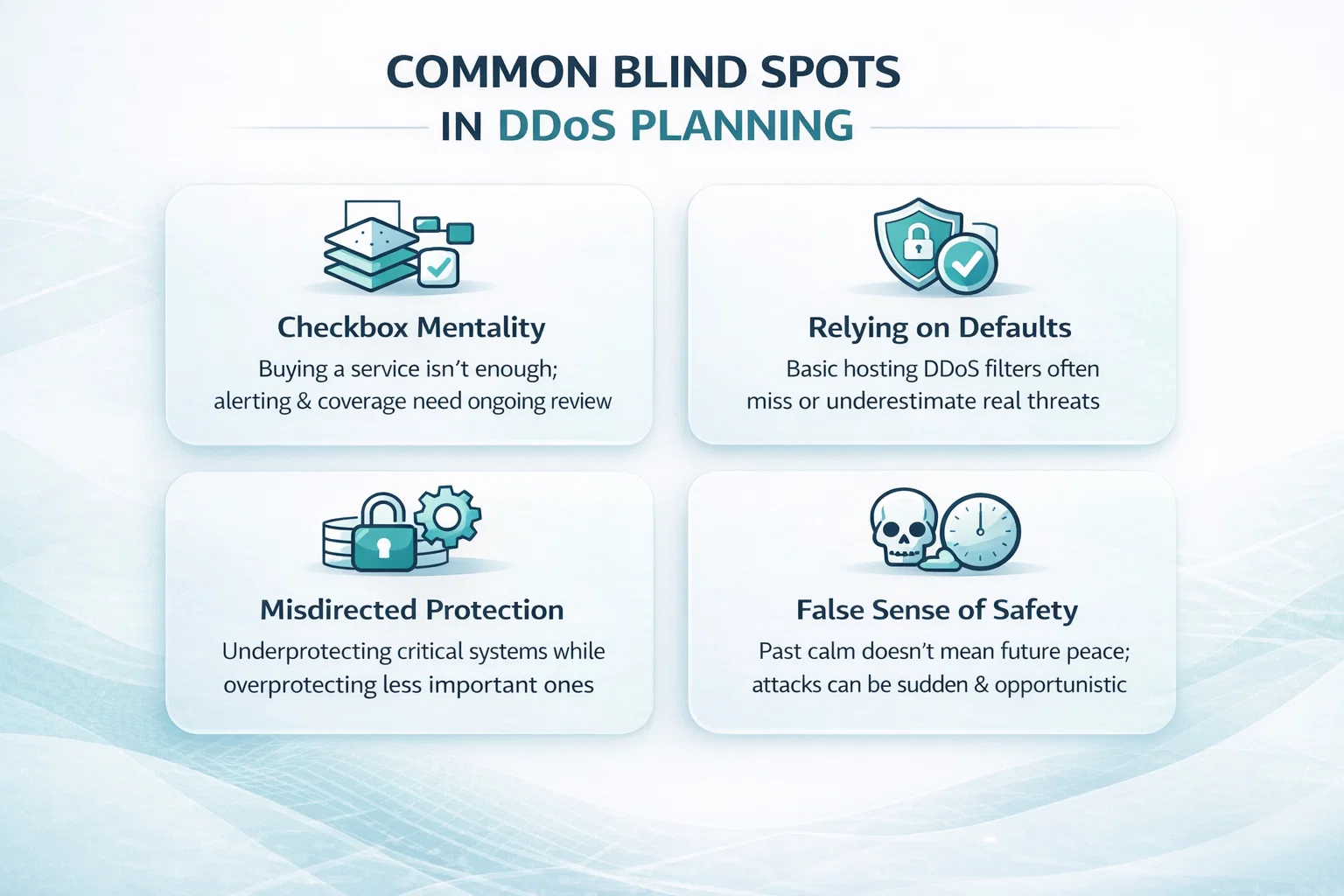
Common Blind Spots in DDoS Planning
Even solid teams with strong infrastructure make avoidable mistakes when it comes to DDoS protection. Some are budget-driven, others come from assuming the threat looks the same for everyone. Here’s where things usually go sideways:
Treating DDoS as a checkbox, not a workflow: Buying a service isn’t the same as being protected. If alerts go ignored or coverage isn’t reviewed after infrastructure changes, the gaps will show up when it’s already too late.
Relying only on default hosting protection: Some think the bundled “basic DDoS filter” from their provider is enough. It often isn’t – especially when application-layer (L7) attacks are involved.
Overprotecting low-risk systems, underprotecting what matters: It’s easy to sink budget into visible assets and forget backend APIs or third-party endpoints that are far more critical during an attack window.
Assuming past peace means future peace: Just because you haven’t been hit doesn’t mean you’re invisible. Attackers don’t send warnings, and many hits are opportunistic or automated.
Good protection starts with knowing your own weak spots – not just buying someone else’s idea of a strong setup.
Before You Commit: What to Double‑Check in a DDoS Protection Deal
Not all DDoS protection contracts are created equal – and once you’re locked in, the wrong setup can get expensive fast. Before signing anything, take a step back and look at how the service actually fits your infrastructure. Does it protect what really matters? Is the pricing clear once your traffic spikes? Can you scale up without chasing support? These things matter more than slick dashboards or bundled extras.
It’s also worth pressing for specifics. Ask what’s included in the base tier and what quietly falls into “premium.” Clarify whether application-layer (L7) protection is covered or optional. Look into how fast mitigation kicks in, and whether human response is part of the SLA or just automated filtering. And don’t forget to ask what happens when you hit volume thresholds – some providers start charging more the moment an attack gets serious.
Getting clear answers upfront saves you from scrambling later. A good contract doesn’t just protect your systems – it protects your ability to stay in control when things get noisy.
Conclusion
DDoS protection isn’t just a line item in a security budget – it’s what keeps services running when things get messy. Costs vary widely, and that’s not necessarily a drawback. Flexibility allows protection to match how systems are built, what customers depend on, and how much downtime is truly acceptable.
Whether the setup is lean or built for high availability, the key is staying ahead of the risk. Waiting for an outage to rethink priorities usually costs more. It makes more sense to start with real exposure, align coverage accordingly, and build something that holds up under pressure.
FAQ
How much does DDoS protection cost for small businesses?
Most small teams pay between $50 and $300 per month. That usually covers basic network-layer filtering (L3/L4) and might be bundled with your hosting or CDN. But if you rely on uptime for sales or client access, you’ll likely need something more advanced.
Is L7 protection always necessary?
Not in every case. But if your services involve user logins, forms, dynamic content, or public APIs, L7 protection isn’t optional – it’s where most targeted attacks hit. Network filtering alone won’t stop them.
Is free hosting-level protection enough?
It can help with basic traffic floods, but it’s rarely enough for anything more complex. These default tools often lack visibility, alerting, or fast response. If uptime matters or attacks could affect clients, you’ll want something more reliable.
Do I need protection if I’ve never been attacked?
Yes because many attacks are automated and opportunistic. Just because you haven’t seen one yet doesn’t mean you’re immune. Planning ahead costs less than cleaning up after an outage.
Firewall configuration is one of those things many teams underestimate. Buying the firewall is only part of the story. The real work starts when you need to configure rules, align security policies with how the business actually operates, and make sure nothing critical breaks in the process.
The cost of firewall configuration can vary widely, not because vendors are inconsistent, but because every network is different. A small office with basic access rules is nothing like a hybrid environment with cloud apps, remote users, and compliance requirements. In this article, we will look at what firewall configuration really costs, what drives those numbers up or down, and how to think about setup as an investment rather than a checkbox.
What Is Firewall Configuration, and How Much Does It Cost?
Firewall configuration is the process of setting up the rules and policies that control what traffic is allowed in and out of your network. It’s not about the hardware or software itself, but how it’s tuned to match your security needs, business workflows, and compliance requirements.
The cost of firewall configuration varies and is often bundled with hardware or managed services, but in many cases, it’s offered as a separate setup service. For small businesses, entry-level firewall packages often cost under $2,000 and may include basic configuration as part of the purchase, while larger or complex environments often require additional budget for advanced setup and integration.
Why Firewall Configuration Deserves Its Own Budget Line
Buying a firewall is just the beginning. If the configuration is done poorly, your shiny new device is either going to block the wrong things or miss the stuff it should stop. And that’s not just an inconvenience – it can lead to security gaps, downtime, and frustrated users.
Configuration isn’t just flipping a switch. It includes setting up policies, defining rules for inbound and outbound traffic, integrating the firewall into your existing environment, and testing it all to make sure nothing breaks.
So yes, it can be a separate cost. And it should be treated as such when you’re planning your security budget.
How We Support Secure and Cost-Efficient Configurations at A-listware
At A-listware, we understand that configuring a firewall is about more than just flipping a few switches. It’s about aligning the setup with your business operations, data flow, and long-term infrastructure goals. That’s why our infrastructure and cybersecurity teams focus on tailoring each configuration to the specific environment it’s protecting. Whether you’re working in the cloud, on-premises, or a hybrid setup, we integrate configurations into a broader framework of secure IT management.
We don’t take shortcuts with security. Our approach includes thorough environment mapping, access control planning, rule validation, and post-deployment support. When clients come to us, they’re often looking for more than just technical setup. They want clarity, flexibility, and trust. We provide experienced engineers who handle everything from initial planning to ongoing updates, with response times and availability that match the pace of your business.
Average Firewall Configuration Costs by Business Size
Firewall configuration doesn’t usually come with a standalone price tag. In many cases, the cost is bundled with the hardware purchase, software subscription, or a managed security service. What you actually pay depends on how complex your network is, how many users or sites are involved, and whether you’re handling configuration in-house or outsourcing it.
To give you a sense of how firewall-related expenses scale by business size, here’s a breakdown based on common industry pricing.
Small Businesses
Most small businesses spend between $250 and $2,000 for entry-level firewalls, which often include some basic configuration or setup help from the vendor or reseller. For teams with in-house IT, setup might be handled internally. If external services are used, configuration can be billed as part of a managed service plan, often starting around $50 to $300 per month.
Mid-Sized Businesses
Mid-sized organizations typically need more advanced firewall features, like role-based access, secure VPNs, or application filtering. Hardware costs often fall in the $2,000 to $15,000 range, and configuration may be done through managed firewall providers, internal security teams, or consultants. In these cases, configuration is rarely billed separately, but when it is, it can add a few thousand dollars on top of hardware and licensing.
Enterprise Setups
Larger enterprises may invest $20,000 to $300,000+ in advanced firewall solutions with high availability, multi-site support, and central management. Configuration in these environments is typically part of a broader deployment project handled by vendors or MSSPs. While exact configuration costs are hard to isolate, they can account for a significant portion of the total project budget if delivered as a consulting service.
Note that these estimates reflect the total firewall solution cost by business tier, including hardware, software, and often some degree of setup or integration. Dedicated configuration work is not always billed separately but may be priced into managed service packages or initial deployment fees.
What Drives the Cost of Firewall Configuration?
Firewall configuration isn’t one-size-fits-all. Some companies can get away with a simple setup, others need a full architecture review. Here’s what typically affects the cost:
1. Type of Firewall
Hardware firewalls generally take more time to configure, especially if multiple physical devices are involved. Software firewalls are a bit easier and cheaper to configure but may still require tuning. Cloud-based firewalls often involve integration with cloud policies and virtual networks, which can get technical quickly.
2. Complexity of the Network
If your environment includes remote workers, cloud applications, multiple office locations, or segmented internal networks, you can expect to pay more. Why? Because every rule needs to be tested across each scenario.
3. Compliance Requirements
Regulations like HIPAA, PCI-DSS, or GDPR come with extra expectations. Configuring a firewall to meet these standards typically involves logging, auditing, and specific access control rules. That takes time and expertise.
4. Customization Needs
Custom ports, application-specific rules, VPN tunneling, NAT configurations, and deep packet inspection don’t set themselves up. The more customized your setup, the longer the configuration time – and the higher the cost.
5. Internal vs. Outsourced Setup
In-house teams may configure a firewall as part of their regular duties, but outsourced providers often charge by the hour or per project. Their rate depends on expertise, geography, and scope.
Ongoing Costs to Consider
Even after the initial configuration, a firewall isn’t a set-it-and-forget-it tool. You’ll likely need:
Rule tuning and updates.
Security patch configuration.
Log and alert management.
Audit support during compliance checks.
Troubleshooting access issues.
If you’re using a managed firewall service, these might be included in your monthly fee. If not, expect to pay around 15-25% of your firewall’s annual license cost for support and maintenance.
Tips for Keeping Configuration Costs Under Control
You don’t have to overpay to get it right. Here are a few ways to keep your costs in check:
Start with a Clear Network Diagram
Before anyone touches a firewall rule, make sure you’ve mapped out how your systems actually connect. Most of the wasted time in setup comes from trying to reverse-engineer what should’ve been documented. A clean, up-to-date network diagram speeds everything up and helps prevent missed steps.
Know What You Really Need (and What Can Wait)
It’s easy to get carried away with advanced features right out of the gate, but that’s where costs can balloon fast. You might not need full deep packet inspection or user-level analytics on Day 1. Focus on core protections first. Add the extras when your business is ready for them.
Reuse What Already Works
If you have more than one office or location, chances are their firewall rules aren’t wildly different. Instead of starting from scratch every time, use templates or replicate proven rule sets across similar environments. It saves time, reduces mistakes, and keeps things consistent.
Bundle Configuration with Your Purchase
Sometimes when you’re buying a firewall, you can negotiate setup services as part of the deal. It won’t always be free, but vendors and resellers often offer lower rates if configuration is bundled at the time of purchase. Ask about it upfront so you don’t miss the opportunity.
Be Cautious with Open-Ended Hourly Work
Hourly billing can be fine in small doses, but it’s easy for costs to spiral without clear boundaries. If you’re working with an outside provider, go for fixed-fee pricing or ask for a detailed scope of work with a cap. It protects your budget and gives you a better sense of what to expect.
Is DIY Firewall Configuration Worth It?
For small environments with an in-house IT team, maybe. But even then, it’s easy to overlook things like:
Failing to restrict unnecessary outbound traffic.
Misconfigured VPNs that leave gaps.
Lack of proper logging or alerting.
Inconsistent rule naming and documentation.
Unless your team has direct experience configuring business-grade firewalls, it’s worth at least bringing in someone to review the setup or provide a basic template to start from.
When to Reconfigure Your Firewall
Initial setup isn’t the end of the story. Reconfiguration is often needed when:
You add new offices or locations.
Cloud apps or services are introduced.
You migrate to a new platform.
Regulations change and require updated controls.
You experience a breach or near-miss and want to harden access.
Budgeting for periodic reviews or tune-ups will keep your firewall in sync with the way your business actually works.
Final Thoughts
Firewall configuration isn’t something to rush or cheap out on. It’s the gatekeeper for your entire network. If you get it right, you reduce risk, downtime, and ongoing support headaches. If you get it wrong, the cost isn’t just technical – it’s operational.
The numbers might vary, but the principle is the same: take the time (and budget) to set it up properly the first time. Your network, your team, and your customers will thank you later.
Let configuration be part of your security strategy, not just a checkbox after buying the firewall.
FAQ
Do I really need to pay extra for firewall configuration if I already bought the hardware?
Yes, in many cases. While buying a firewall gives you the hardware or software, it’s the configuration that makes it work effectively. Without proper setup, critical protections might be missing. Configuration involves defining access rules, segmenting traffic, enabling logging, and ensuring the firewall supports your network without disrupting operations.
How much should I expect to pay for a basic firewall configuration?
For a simple setup, configuration is often bundled with the firewall purchase or included in a managed service. If billed separately, basic configuration for small businesses may add a few hundred to a couple thousand dollars, depending on the provider. More customization or compliance needs typically increase the overall cost.
Can my internal IT team handle firewall configuration, or should I hire someone?
That depends on your team’s experience and your network’s complexity. If you’ve got someone who’s worked with business-grade firewalls before and understands the risks, go for it. But if not, it’s worth bringing in someone who does this regularly. A misconfigured firewall can lead to downtime, breaches, or just endless access issues nobody wants to troubleshoot.
Is firewall configuration a one-time cost?
Not exactly. There’s an upfront setup cost, but you should also plan for periodic updates, especially if your business changes or new threats emerge. Some companies do quarterly reviews, others reconfigure after major changes like cloud migrations or compliance updates. It’s smart to think of it as a recurring maintenance task rather than a one-and-done project.
What’s the difference between cheap configuration and a proper one?
A cheap config might get the firewall running, but that doesn’t mean it’s done well. You could end up with open ports, overly broad rules, or no logging at all. A proper configuration balances protection with usability and gives you visibility into what’s happening on your network. It’s less about the price tag and more about whether the setup was done thoughtfully and tested properly.
Security monitoring costs rarely come down to a single number. What people actually pay depends on how the system is built, who responds to alerts, and how much responsibility the owner wants to keep. Some setups are lean and hands-on, others are designed for constant oversight and formal response. Understanding where the money goes makes it much easier to choose a system that feels justified rather than inflated.
A Practical Way to Think About Security Monitoring Cost
Most questions about security monitoring cost are really questions about reliability, predictability, and long-term fit. Price is one part of the equation – but so is the system’s ability to operate under pressure, scale without friction, and avoid bloated tools that look good on paper but create noise in practice.
Security monitoring doesn’t operate in isolation. It exists within a broader stack that includes infrastructure, software, business processes, and end users. Total cost depends on how tightly those components are aligned. Clean, well-integrated systems with clear ownership behave very differently from setups patched together from multiple vendors and platforms.
Choosing the cheapest option rarely works out over time. The smarter approach is to build a setup that fits the actual environment – one that integrates smoothly into day-to-day operations and doesn’t require workarounds. When monitoring tools match real workflows, costs stay predictable, false alarms drop, and response becomes faster and more deliberate.
A‑listware’s Approach to Secure, Scalable Monitoring Systems
At A‑listware, we treat security monitoring as part of a broader operational design – not a bolt-on feature. Our teams work closely with clients to embed monitoring into the flow of real infrastructure and applications, whether it’s for internal platforms, multi-location environments, or software products that need stable, scalable alerting from day one.
We focus on visibility, reliability, and seamless fit. That means designing systems that trigger when they should, stay silent when they don’t need to, and hand off responsibility to the right people at the right time. Whether the monitoring is handled in-house or tied to external support, we make sure it aligns with the way the business actually works.
For updates on how we approach technical scaling, DevOps workflows, and secure architecture, follow us on LinkedIn or connect on Facebook. We regularly share insights, lessons learned from real builds, and new ways to make systems more predictable under load.
What You’re Actually Paying for With Security Monitoring in 2026
Security monitoring in 2026 comes with more variables than just a monthly fee. The total cost reflects equipment quality, system design, installation complexity, and whether monitoring is handled in-house or by professionals. Pricing also shifts depending on how much responsibility the user wants to take on versus what’s automated or managed externally.
Ongoing Monitoring Costs
Monthly Monitoring Fees: $25 to $80+
Back-to-base monitoring – where alarms are routed to a professional team for real-time response – typically starts around $25 and ranges up to $80 or more, depending on features. Standard plans (around $30-$60) cover basic alerts and emergency escalation.
Higher-tier packages, often priced between $70-$100, may include extras like video verification, dual-path connectivity (Wi-Fi plus 4G/5G), smart home integration, or multi-location access via apps or dashboards. For self-monitored setups, monthly costs are minimal or even zero. The only recurring fee is often cloud storage for camera footage, averaging $5 to $15 per month for a single device, or $15 to $25+ for a plan covering multiple devices.
Installation and Setup Considerations
Installation and Setup Costs: $500 to $2,500+
Initial installation costs vary depending on the type of system and property. In 2026, the following price ranges are typical:
Wireless systems (easy to install): $500 to $1,000 for a starter kit with control panel, sensors, and basic motion detection.
Hardwired systems (professional-grade): $800 to $1,600, including cabling and structural work for sensor placement.
Full residential or small business package: $1,500 to $3,000+ for a balanced setup with multiple sensors, 2-3 security cameras, remote access, and professional installation.
Properties with multiple floors, heritage structures, or complex layouts tend to fall at the higher end due to extra labour and materials.
Optional Features That Increase Cost
Some add-ons improve security and reliability, while others are situational. In 2026, the most common price additions include:
Video verification: Adds around $10-$20/month, reducing false alarms and providing visual confirmation for monitoring teams.
Smart home integrations (locks, lighting, automation): Can add $300 to $800+, depending on device selection and system compatibility.
Specialty sensors (glass break, flood, heat, gas): Usually range from $60 to $150 each including install.
Local NVR storage: One-time cost between $400 and $1,000, offering continuous recording without recurring fees.
Cloud camera storage: Ongoing $5 to $15/month per stream, with footage stored offsite for remote access.
Long-Term Value Depends on Fit, Not Features
In practice, the best systems aren’t the most expensive – they’re the ones that match the space and the user’s day-to-day reality. A mid-tier setup with stable performance, solid remote access, and low false-alarm rates often delivers better long-term value than a bloated package filled with features that go unused.
Smart budgeting starts with what’s necessary: coverage, reliability, and ease of use. From there, the right extras can be layered in without sending costs off course.
What Affects the Cost of Security System Installation
The cost of installing a security system doesn’t follow a fixed template. It depends on what’s being installed, how complex the environment is, and how much of the work is handled in-house versus by professionals. In some cases, installation can be a straightforward half-day job. In others, it turns into a multi-day process involving custom cabling, testing, and system calibration across multiple zones. Here’s what typically influences the price.
1. Type of System: Wireless vs Hardwired
Wireless systems are faster and easier to install. Most kits come pre-configured, and setup often takes less than a day. Expect pricing between $500 and $1,000 for the full install, depending on how many entry points and rooms are involved.
Hardwired systems take more time, especially in finished buildings. They require cable routing, wall access, and often more coordination between trades. Installation costs for wired systems usually fall between $800 and $1,600, not including higher-end gear or custom work.
2. Property Layout and Access
Simple floor plans bring costs down. Open layouts, single-storey homes, or modern office spaces with easy cable routes tend to be more installer-friendly. Costs rise when dealing with:
Multi-level buildings
Older or heritage properties with thick walls or limited crawl space
Large distances between components (like gate cameras or detached garages)
Restricted access during business hours
Any of these factors can add time, labour, and the need for special tools or materials.
3. Equipment Volume and Customization
The more devices in play, the longer the install. A basic system with four or five sensors and one camera installs quickly. A full suite with 15+ devices, multiple cameras, smart locks, and environmental sensors will take longer – and that time shows up in the quote.
Custom requirements also matter. Want the cabling hidden inside walls? That adds labour. Need a recessed sensor layout for aesthetic reasons? That takes more time than surface mounting.
4. DIY vs Professional Installation
DIY can keep costs low for small or straightforward setups, especially with wireless kits. However, professional installation brings long-term benefits: fewer false alarms, cleaner cable runs, and a system that’s tested across all zones before handoff.
In 2026, professional install rates in Australia generally fall between $400 and $1,200, depending on system size and complexity. Some providers offer fixed installation pricing, while others bill hourly. Fixed pricing tends to be more predictable, especially for businesses or multi-property installs.
5. Integration and Configuration Time
Installation doesn’t stop once the hardware is mounted. There’s also software configuration, app setup, network pairing, and walkthrough testing. If the system includes smart home integrations or multi-user access control, expect this part to take time – especially if it’s tied into other platforms like lighting, locks, or HVAC.
This final stage is often underestimated in the budget but makes the biggest difference in day-to-day usability. A properly configured system is easier to maintain and less likely to trigger false alarms, which ultimately saves time and support costs down the line.
How Much Does Monitoring Actually Cost Per Month?
In 2026, most professionally monitored systems land between $30 and $60 per month. Basic plans provide essential alarm handling and escalation, which is often enough for single-site setups with standard sensor coverage. Higher-tier plans bring in features like video verification, dual-path connectivity, or management of multiple locations, and that’s where pricing starts to climb. For small businesses or households with a few cameras and sensors, costs usually settle around the middle of the range.
Self-monitoring cuts the recurring fee but isn’t always completely free. Cloud storage for security footage generally costs $5 to $15 per camera, depending on retention length and resolution. Systems that store video locally can avoid those monthly charges, though they do require upfront investment and more active involvement. Some users go with hybrid models – handling alerts themselves during the day, while passing off monitoring to professionals at night or on weekends. It’s a practical way to keep costs down without missing something important.
How to Keep Security System Costs Under Control
Security systems don’t need to become a financial drain over time – most of the budget drift happens when the setup expands without a clear plan. A few small habits and early decisions can go a long way in keeping costs stable without cutting corners on performance.
Start with the essentials: Begin with a solid foundation: a reliable control panel, perimeter sensors, and a camera or two in high-traffic areas. Avoid overcommitting to features that may never get used.
Choose one ecosystem and stick with it: Mixing platforms usually leads to multiple cloud fees, incompatible updates, and a mess of apps. A single system keeps everything under one dashboard and reduces overhead.
Use storage smartly: Continuous 24/7 recording isn’t always necessary. Motion-activated clips with sensible retention – like 7 to 14 days – cover most real-world scenarios and cost less long term.
Schedule regular check-ins: Revisit the system once a year. Remove unused devices, test sensors, and update firmware. A short audit keeps things running smoothly and catches small issues before they become expensive.
Opt for fixed-rate monitoring: When possible, go with providers that offer flat monthly rates. Tiered pricing based on usage or events can look cheap upfront but climb fast under normal conditions.
Keep expansion modular: If the system needs to grow, add new zones or devices gradually. That avoids one-time bulk upgrades and gives time to see what’s working and what’s not.
Clear structure, consistent tools, and regular maintenance do more for budget stability than any one-time savings. Systems built with that mindset tend to stay reliable – and predictable – over the long run.
Conclusion
Security monitoring isn’t just a monthly line item – it’s a long-term system cost shaped by how the solution is designed, what kind of support is built around it, and how well it aligns with real-life usage. The difference between a system that feels reliable and one that constantly needs attention often comes down to early planning and smart choices on hardware, storage, and monitoring style.
A well-configured setup doesn’t just reduce false alarms – it lowers support costs, avoids feature bloat, and scales more naturally as needs change. That’s where the real savings live – not in cutting corners, but in avoiding the hidden costs of friction.
FAQ
Is it cheaper to go with self-monitoring instead of professional monitoring?
It can be, especially if the system is small and the owner is willing to stay hands-on. But the trade-off is time and responsibility. Professional monitoring adds cost, but it also adds coverage and consistency – especially when no one’s around to check alerts.
Do wireless systems really cost less than wired ones?
Not always. Wireless systems save on installation, but they rely on battery-powered devices that need occasional maintenance. Wired setups have higher upfront costs but can be more stable over time, especially in properties under renovation where cables can be hidden easily.
Are monthly fees always necessary?
No. Systems that rely on local storage and self-monitoring can operate without any ongoing payments. But for cloud access, remote video playback, or a central monitoring service, monthly fees apply – and they’re worth it in setups where reliability and incident response matter.
How much should a full system really cost for a typical house?
Most solid residential systems in 2026 fall in the $2,000-$2,500 range including hardware and installation. That covers a control panel, sensors, a few cameras, and the work needed to get everything connected and tested properly.
Identity and Access Management (IAM) isn’t cheap, but it also shouldn’t be a black box. For many companies, the real cost doesn’t come from licensing – it comes from everything around it: the integrations, the audits, the rewrites, the unexpected hours spent untangling access mistakes.
The push to tighten security, handle hybrid environments, and stay compliant has made IAM one of those categories where cost can spiral if you’re not paying attention. But it’s not all bad news. With the right structure, you can get a lot more control for your spend – and cut down on the busywork, too.
What You’re Really Paying For in an IAM Program
There’s a reason Identity and Access Management projects rarely stick to the original budget – most teams focus on the software license and miss everything else. The real cost of IAM is layered. It’s not just about picking a tool. It’s about making it work across people, processes, and infrastructure that weren’t built with modern IAM in mind. Here’s where the money actually goes:
Platform licensing and subscriptions: Whether it’s per-user, per-app, or tier-based, licensing models are rarely simple – and often scale faster than expected.
Implementation and customization: Out-of-the-box IAM tools sound great until you try wiring them into legacy systems, custom APIs, and undocumented workflows.
Integration with existing infrastructure: Directory services, HR systems, cloud apps, on-prem systems – all of it has to talk to your IAM layer without breaking things.
Access governance and compliance tooling: This is where Identity Governance and Administration (IGA) comes in. Think automated reviews, audit trails, and role-based access policies that actually hold up during an audit.
Training and internal process redesign :IAM affects how people request, approve, and revoke access. If you don’t update internal workflows, things get messy fast.
Ongoing support and maintenance: Access needs change. People switch roles. Apps get replaced. IAM isn’t a set-it-and-forget-it tool – it needs upkeep.
Incident response and remediation planning: If someone gets the wrong access or a role gets misconfigured, you need systems in place to catch it and fix it – fast.
Scalability and future-proofing: Cheap solutions often fall apart at scale. Cost-effective IAM isn’t just about saving money now – it’s about avoiding rebuilds later.
IAM spend isn’t just a line item – it’s an operational investment. Understanding where the real work (and real cost) lives helps you build a plan that doesn’t catch you off guard six months in.
A‑listware’s Role in Making IAM Manageable for Growth
At A‑listware, we build and manage full‑cycle engineering teams that become an extension of your company. When it comes to Identity and Access Management, that means helping organizations set up IAM processes and integrations that don’t crumble when your systems scale or change.
Our approach is rooted in seamless team integration: we provide skilled developers who work with your existing infrastructure and tools, not around them. Whether it’s connecting IAM systems to cloud platforms, internal workflows, or third‑party applications, our teams ensure that access logic remains consistent and maintainable..
If you’re trying to bring order to access control or simplify a rollout that’s grown too complex, we’re here to help. You can see what we’re working on via our LinkedIn and Facebook or reach out when you’re ready to rebuild IAM around what your business actually needs to support and scale IAM reliably.
Identity and Access Management Cost: Full Breakdown for 2026
Most companies still underestimate what Identity and Access Management (IAM) really costs. The mistake? Thinking it’s just about licenses. IAM is a living system: a mix of tools, policies, integrations, and people. And every layer brings its own price tag – sometimes up front, sometimes six months later when things start breaking.
In 2026, the biggest expenses often aren’t technical – they’re operational. Licensing is just the beginning. The real cost plays out in configuration, integration, compliance, support, and how well IAM adapts to your infrastructure and team structure. Here’s how it usually unfolds.
Setup Costs You’ll See Early
Even the early stage can get expensive fast, especially if you’re working with a fragmented tech stack or undefined roles.
Platform licenses: $2-$55+ per user/month depending on vendor, features, and tiers (e.g. MFA, IGA, API access).
Implementation & configuration: $50K-$750K+ depending on scope; includes connector setup, role modeling, and policy design.
System integrations: $2K-$15K per system for AD, HRIS, cloud services, or legacy apps that need custom connectors.
IAM policy design: $150-$250/hour for external consultants; most organizations require 100-300 hours of planning.
Ongoing Operational Costs That Add Up Over Time
IAM isn’t a set-it-and-forget-it system. Permissions change, people move, new tools get added: and all of that has a cost.
Admin and support: $140K-$300K+/year for in-house roles or $3K-$10K/month for managed IAM operations under SLA.
Audit tools & IGA platforms: $50K-$350K+/year depending on scope; critical for access reviews, role certification, and compliance logging.
Access-related incidents: $5K-$15K to investigate and correct minor permission errors; up to $50K+ for major failures.
Manual access reviews: $5K-$20K per quarter if outsourced; internally, 60-150 hours per review cycle if done manually.
Hidden Cost Drivers That Wreck Budgets Later
These risks don’t appear in proposals: but always show up once IAM is live.
No internal IAM policy: Leads to inconsistent decisions, constant exceptions, and snowballing manual rework.
Partial coverage: Apps and systems outside IAM lead to shadow access and unmanaged accounts.
Role chaos: Skipping RBAC or ABAC results in uncontrolled access sprawl and painful audits.
Vendor lock-in: Inflexible platforms make future changes, upgrades, or migrations far more expensive than expected.
What Pushes IAM Costs Higher and What Keeps Them in Check
Cost reducers: Unified identity sources (like AD synced with HRIS), clearly defined roles, prebuilt integrations, and automated provisioning.
IAM in 2026 is less about tool selection and more about long-term fit. If you treat it like a temporary fix, it’ll turn into a recurring problem. But with the right architecture, automation, and governance, it becomes a controllable layer: not a drain on your security or budget.
Ways to Cut IAM Costs Without Creating More Risk
Cutting back on IAM spending doesn’t mean downgrading your security posture – it just means spending smarter. In 2026, the biggest cost sinks aren’t always bad tools – they’re inefficient processes, over-engineered deployments, and manual work that could’ve been automated months ago. Here are a few ways to reduce IAM costs without opening up risk.
1. Start With a Lean Core – Not a Full Suite
You don’t need to roll out every feature from day one. Most organizations can get real value early by focusing on the core: SSO, MFA, and basic provisioning. Governance layers like automated reviews and access certification are important, but they can come later once the basics are stable and adopted.
Keep it simple: Prove that users can log in securely, move between tools without friction, and that offboarding is consistent. That foundation alone prevents 80% of access-related issues.
2. Build Your Roles Before You Build Workflows
The fastest way to create IAM chaos is to skip role design. If you’re approving access manually or building workflows before roles are defined, you’re locking in inefficiency. Well-scoped RBAC or ABAC models reduce approvals, automate decisions, and make reviews manageable – which saves time every quarter.
Upfront effort here = long-term cost control.
3. Automate Offboarding First – Then Onboarding
If you’re automating only one thing, start with offboarding. Removing access immediately when someone leaves is both a security win and a cost-saving move – especially in SaaS-heavy environments where licenses stay active until someone notices.
Bonus: If you sync IAM with HRIS data, you can automate the full termination flow without any tickets at all.
4. Use What You Already Pay For
Before buying new tools, audit what your cloud stack already includes. Platforms like Microsoft 365, Google Workspace, and AWS often have built-in identity tools that go underused. If you’re already paying for them, activate them properly and avoid duplicating features elsewhere.
Don’t let “free” features sit idle while you license the same thing from a third-party.
5. Outsource IAM Operations You Don’t Need to Own
Not every team needs a full-time IAM administrator in-house. If your environment isn’t changing daily, offloading operations (provisioning, reviews, policy updates) to a trusted external partner can be far more cost-effective.
Look for partners who provide SLA-backed support, automation coverage, and help during audits – without locking you into long contracts.
6. Don’t Customize Everything
IAM tools often look flexible – and they are – but that doesn’t mean you need to rewrite every flow. The more custom logic you build, the harder and more expensive it becomes to maintain, test, and audit later.
Use defaults where they work. Customize only when business logic demands it.
Smart IAM cost control isn’t about cutting corners – it’s about knowing what needs to be owned, what can be automated, and where complexity creates more risk than value. You don’t need the most expensive tool. You need the setup that fits the way your organization actually works.
Where IAM Budgets Break Before the Project Even Starts
IAM rarely fails because the tool didn’t work – it fails because the budget didn’t reflect reality. Teams plan for software, maybe even initial implementation, but forget how much of IAM lives outside the product itself. What does it take to keep access reviews clean? Who owns policy changes when departments shift? How do you track entitlements across apps that weren’t even part of the original scope? These things don’t show up in quotes, but they show up fast once you’re live.
Another common mistake: treating IAM like an IT-only initiative. In practice, identity touches HR, compliance, security, and every end-user. If those teams aren’t part of the early planning – not just “notified,” but involved – then the workflows don’t land. The result is tickets that get rerouted, exceptions that pile up, and audits that become fire drills. None of that is in the original spreadsheet, but it all lands on the budget line sooner or later.
Budgeting for IAM isn’t about being more conservative – it’s about being honest. The more tightly you connect your budget to process ownership, cross-team collaboration, and ongoing governance, the fewer surprises you’ll have later. That’s where real cost control starts.
Conclusion
IAM doesn’t have to be unpredictable – but it often becomes that way when budgets focus on features instead of workflows. The biggest costs usually come from everything around the tool: disconnected systems, manual processes, and unclear ownership.
By 2026, IAM is no longer just an IT concern. It’s an operational layer that touches security, HR, and compliance. Budgeting for it means accounting for automation, support, governance, and the effort it takes to keep everything aligned. Done right, IAM reduces friction, improves visibility, and helps teams move faster – but only if it’s designed with the full picture in mind from the start.
FAQ
What is the average cost of implementing IAM in a mid-sized company?
For a company with 500-1,500 employees, the full rollout cost (first year) $250K-$800K. The platform license is only a fraction of that.
Why does IAM get more expensive after the initial setup?
Because people change roles, systems evolve, and compliance doesn’t stand still. If the IAM platform isn’t maintained or workflows aren’t automated, small manual tasks pile up and costs escalate through operational drag – not just tech failure.
Can we start with a basic IAM setup and scale later?
Yes, and that’s often the better route. Start with core controls like SSO, MFA, and role-based provisioning. Add certifications, automation, and IGA once access is consistent and the team is comfortable with the foundation.
What’s the biggest hidden cost in IAM projects?
Manual exceptions. Every time someone is given one-off access outside of policy, that decision creates future overhead – in auditing, support, or security risk. Dozens of small detours add up quickly.
Do cloud IAM tools always cost less than on-prem solutions?
Not always. Cloud tools reduce infrastructure costs, but the real expense comes from customization, integrations, and ongoing administration. For some orgs, total cost of ownership still leans high in the cloud – especially if the licensing is user-based and scales fast.
Zero Trust isn’t just another security buzzword – it’s quickly becoming the standard for how companies protect systems, data, and people. But while the benefits are widely discussed, the cost side often gets blurred. Some think it’s just a VPN upgrade. Others assume it’s a seven-figure security overhaul. The truth sits somewhere in between, shaped by how you approach it and how prepared your IT landscape already is. Let’s walk through what Zero Trust architecture actually costs, what drives those numbers up or down, and where most teams go wrong when budgeting for it.
What Zero Trust Actually Costs and Why Guesswork Backfires
When teams start planning a Zero Trust rollout, one of the first questions that comes up – sometimes quietly – is “how much is this going to cost us?” The honest answer is: it depends, and if someone gives you a flat number without looking at your infrastructure, they’re guessing. The cost of Zero Trust isn’t just about licenses or platforms – it’s about how ready you are to untangle your application sprawl, how mature your access controls are, and whether you treat the project as a patch or a real modernization push.
What makes transparency so important here is that bad assumptions turn into expensive mistakes. Some companies rush in thinking it’s just a matter of switching off VPNs. Others throw money at consultants without a clear inventory or integration plan. Either way, the budget starts burning before the benefits kick in. Clear planning, realistic ranges, and understanding where the time and effort actually go – that’s what separates costly rework from a Zero Trust architecture that scales cleanly and pays off.
What Influences the Cost of Zero Trust in 2026
Zero Trust isn’t something you buy off the shelf. It’s built around how your systems, teams, and risks actually work, and that’s why costs vary so much – even between companies of the same size.
Some organizations roll it out in phases for under $150,000. Others cross the $2 million mark when legacy systems, siloed ownership, or strict compliance requirements come into play. The difference usually comes down to how much groundwork is already done.
1. Application Inventory: The Hidden Budget Line
One of the most underestimated cost drivers is figuring out what you actually run. For companies without a clean system inventory, this step alone can take weeks – and cost tens of thousands in internal engineering time and external assessment tools.
Expect $20,000-$100,000+ depending on how complex your application landscape is.
In highly fragmented environments, costs can spike due to manual mapping, audit gaps, and duplicated tools.
2. IAM Foundation and Policy Design
Zero Trust relies on strong identity and access management (IAM). If you already have centralized IAM and MFA in place, that’s a head start. If not, you’re looking at foundational upgrades.
Licensing and integration work often ranges from $30,000 to $120,000.
Complex role-based access models or regulatory-grade identity workflows (e.g. in finance or healthcare) can push it higher.
3. Micro-Segmentation and Network Architecture
Creating secure zones around apps and systems isn’t free. It takes serious planning, configuration time, and sometimes reengineering how services talk to each other.
For mid-size environments, segmentation projects often fall in the $40,000-$200,000 range.
Heavily integrated or legacy-heavy networks may require custom tooling and multi-phase rollouts.
4. Real-Time Monitoring and Analytics
Zero Trust without visibility is just wishful thinking. Real-time monitoring, behavioral analysis, and anomaly detection are essential – but also pricey depending on scope.
Most companies spend between $25,000-$150,000 on tools, setup, and tuning in the first year.
Costs go up fast if you want full-stack observability across hybrid environments.
5. Change Management, Training, and Internal Alignment
Even with perfect tooling, Zero Trust fails when teams don’t buy in. Training users, updating policies, and managing the transition is where a lot of “soft costs” show up.
Budget at least $10,000-$50,000 for proper change management.
Enterprises with global teams or high turnover should double that estimate.
6. Cloud vs On-Prem: Deployment Context Matters
The deployment model also shifts the price tag. Cloud-native companies often move faster and spend less upfront – around $100K-$250K. Hybrid or on-prem-heavy organizations typically face higher integration and operations costs – $300K-$1.5M depending on scale.
7. Typical Total Cost Ranges in 2026
Here’s how Zero Trust investment stacks up based on company size and complexity:
Company Type
Estimated 2026 Cost
Small Business (Cloud-native, 100-500 employees)
$180,000-$450,000
Mid-Market (Hybrid, 500-2,500 employees)
$450,000-$1.2M
Large Enterprise (Multi-cloud + Legacy)
$3.5M-$5M+
There’s no flat price tag. What really drives cost is how ready you are to clean up what’s already in place. Skipping that work usually backfires – and fast.
A-listware in Action: Practical Zero Trust, Step by Step
At A-listware, we don’t just drop in tools and leave. Our approach to Zero Trust is shaped around real-world systems, existing workflows, and the people who use them. Whether you’re modernizing legacy infrastructure or starting cloud-first, we work alongside your team to design secure architecture that fits how your business actually runs.
Zero Trust only works when it reflects how your team operates. That’s why we focus on structured discovery, realistic access policies, and hands-on collaboration. We stay close through each stage – so decisions stay practical, and implementation stays on track.
We share our process and insights openly. If you’d like to see how the team thinks or what’s currently in progress, follow us on LinkedIn or Facebook.
Why “Just Replacing VPNs” Ends Up Costing More
Swapping a legacy VPN for a Zero Trust tool might seem like a clean upgrade. But treating it as a one-to-one replacement usually backfires. It preserves outdated access patterns, adds complexity, and does nothing to clean up what’s under the surface. Costs pile up fast – especially when no one’s asking which systems still matter or who’s actually using them.
Instead of modernizing, you end up securing abandoned tools, renewing unused licenses, and writing policies around guesswork. It’s a shortcut that looks cheaper on paper, but drags technical debt forward. The better approach is slower at first: fix what’s broken, drop what’s obsolete, and then secure what’s left. That’s where Zero Trust starts delivering real value.
Where Zero Trust Pays for Itself (and Then Some)
Zero Trust isn’t cheap to roll out – but it starts paying off faster than most expect. The real value shows up not just in better security, but in everything it helps you clean up, retire, or automate. And that impact is easy to measure: smaller bills, tighter audits, and fewer wasted hours. Here’s where the value tends to land hardest:
License optimization: On average, teams cut software licensing costs by 20-40% simply by retiring unused or duplicate systems during inventory.
Infrastructure savings: Consolidation and reduced load often translate to lower compute, storage, and network costs – especially in hybrid environments.
Reduced breach exposure: Companies with mature Zero Trust implementations save up to $1.76 million per data breach (based on 2024-2025 industry data).
Fewer security tools to manage: With tighter policies and better visibility, many orgs retire redundant tools and shrink their security stack.
Smaller attack surface: Micro-segmentation, least-privilege access, and continuous verification cut down lateral movement risk – and the cleanup costs that follow a breach.
Faster response times: Teams that actually know what assets they own and how they’re connected resolve incidents faster and with more confidence.
Simpler audits and compliance checks: Granular logging and policy-based access reduce prep time for external audits and internal reviews.
Less manual work: With automation and unified controls, fewer things fall through the cracks, and engineers spend less time putting out fires.
It’s not just about building better security – it’s about getting rid of expensive noise and replacing it with something that actually scales. That’s where the return really kicks in.
How Long Zero Trust Really Takes and When the Costs Hit
Most Zero Trust rollouts take 12 to 18 months, but the real story is less about the total timeline and more about how the work breaks down. The early phase – getting your inventory in order, mapping data flows, and setting up IAM – tends to be the most resource-heavy. That’s where a big chunk of the initial cost lands. You’re not just configuring tools – you’re fixing long-ignored access patterns and dependencies that were never properly documented.
Once the foundation’s in place, costs shift. Micro-segmentation, policy enforcement, and monitoring tools come next, but they usually follow a steadier pace and more predictable spend. Teams that phase implementation smartly often see early wins (like license savings or risk reductions) kick in by month 6-8. By the time you hit month 12, Zero Trust stops looking like a security project and starts acting like an operational upgrade. The value builds quietly – and sticks.
Where Zero Trust Budgets Go Off Track (and How to Catch It Early)
Zero Trust can absolutely deliver long-term savings – but not if you burn half your budget on the wrong things. A lot of teams fall into the same traps: rushing rollout, buying too many tools, or ignoring internal readiness. Below are a few of the most common reasons costs spiral, along with how to sidestep them before it’s too late.
Skipping Application Inventory
Going straight to tech deployment without understanding what you actually own is like renovating a building without checking what’s behind the walls. You end up securing dead systems, duplicating controls, and carrying forward technical debt. This step isn’t glamorous, but skipping it almost always leads to budget creep and missed opportunities for consolidation.
Buying Tools Before You Have a Plan
It’s easy to overinvest in platforms and licenses before the architecture is mapped out. Some vendors promise “out-of-the-box Zero Trust,” but that usually translates into overlapping features or shelfware later. A phased strategy – anchored in actual business needs – almost always leads to better spend discipline.
Underestimating Change Management
Even the best Zero Trust plan will stall if your teams don’t know how to work within it. Failing to budget for user training, policy rollout, or cross-team coordination adds hidden costs fast. Misalignment here leads to workarounds, shadow IT, and resistance that can quietly wreck timelines.
Treating It as a One-Time Project
Zero Trust isn’t a set-it-and-forget-it system. Ongoing tuning, audits, and policy adjustments are part of the deal. If you treat it like a one-and-done rollout, the system slowly drifts out of sync with real usage – and the costs come back as incident response, rework, and compliance risks.
The most successful teams budget not just for tech, but for clarity – inventory, alignment, and structure. That’s where overspending turns into smart investment.
Conclusion
Zero Trust isn’t a cheap checkbox. It’s a strategic rebuild – and like most rebuilds, it either exposes old problems or quietly covers them up. The real cost isn’t in the tools you buy, but in the decisions you make along the way: what you keep, what you cut, and how well you understand your own infrastructure. Companies that approach it as a security upgrade tend to overspend. The ones that treat it as a cleanup and modernization effort usually get more value for less.
Done right, Zero Trust pays off not just in fewer breaches or cleaner audits, but in faster response times, simpler operations, and clearer visibility across the board. That payoff doesn’t come from throwing money at new platforms – it comes from knowing exactly what you’re securing and why. Everything else builds on that.
FAQ
How much does Zero Trust cost in 2026?
It depends on how complex your environment is and how ready you are. A small cloud-native company might spend under $150K. A large enterprise with legacy sprawl could hit $2 million or more, especially if compliance or segmentation work is intensive.
Is there a way to keep costs down without cutting corners?
Yes. The biggest savings come from rationalizing your app portfolio early. Clean up what you don’t need, avoid buying overlapping tools, and roll out in phases. Don’t skip the groundwork – it’s where most of the value hides.
Can we just replace our VPN and call it Zero Trust?
You can, but it won’t do much. You’ll end up layering new tech over the same outdated structure and paying for systems and access you don’t actually need. Zero Trust works when it changes how your environment is structured – not just how it’s accessed.
What’s the typical timeline for implementation?
Most companies take 12-18 months from first assessment to full deployment. The timeline depends on how much cleanup and internal alignment is needed. You’ll likely see meaningful benefits by month six if it’s rolled out strategically.
Does Zero Trust work for hybrid or on-prem environments?
It does, but the cost and complexity go up. Legacy systems and fragmented networks take more work to segment, monitor, and control. Still, it’s doable – and worth it long-term, especially if you approach it as part of a broader modernization push.
Cloud security can feel like a maze of numbers and tiers. From firewalls and identity management to DDoS protection and encryption, every service carries a price and it’s rarely straightforward. Businesses want protection, but they also want clarity. Knowing how costs stack up and what drives them helps avoid unexpected bills and ensures you invest wisely. In this guide, we’ll break down the main cost factors, pricing models, and practical considerations so you can plan your security spend with confidence.
Understanding Cloud Security and Its Value
Cloud security is no longer optional. As businesses move workloads, applications, and data to the cloud, the risk of cyber threats grows. From ransomware and phishing attacks to data breaches and insider threats, cloud environments are attractive targets for hackers.
But what exactly does it cost to secure your cloud infrastructure effectively? It’s more than a monthly subscription or a single firewall purchase. The total spend depends on the complexity of your systems, the sensitivity of your data, and the level of protection you require.
Cloud security services protect assets at multiple layers, including network security, identity and access management, endpoint protection, encryption, and monitoring. Each of these components comes with its own price tag, and understanding how costs accumulate is the first step toward budgeting intelligently.
Cloud security costs can vary widely, basic network and firewall protection often starts around $100 to $500 per month for small companies and can reach $2,000 to $10,000 or more per month for larger environments. Identity and access management tools usually range from a few dollars per user per month up to $25 or more for enterprise-level services. Endpoint protection typically falls in the range of $5 to $50 per device per month, and managed detection and response services that include 24/7 monitoring can start near $1,000 per month for smaller setups and stretch into the tens of thousands for large enterprises. Compliance and risk management solutions, especially those tied to standards like GDPR or ISO 27001, often run from several thousand to over $50,000 annually depending on depth and scope.
At A-listware, we help businesses secure their cloud environments without breaking the budget. We work closely with clients to understand their infrastructure, identify risks, and design solutions that align with both security needs and financial constraints. By combining experienced engineers, proven processes, and flexible engagement models, we make it possible to protect data and applications efficiently.
Our teams act as an extension of your organization, providing ongoing monitoring, threat management, and cloud consulting. With A-listware, companies gain access to highly skilled professionals who not only implement robust security measures but also help optimize costs by prioritizing the areas that matter most. This approach ensures that cloud security investment is strategic, transparent, and delivers tangible value over time.
Key Factors That Affect Cloud Security Costs
Not all cloud security investments are created equal. Several variables determine what your business will actually pay:
Scope of Protection: Are you securing a few applications or a full enterprise cloud environment? More assets mean higher costs.
Type of Services: Managed security services, firewall management, threat detection, and compliance monitoring all differ in pricing.
Deployment Complexity: Multi-cloud or hybrid environments require more advanced solutions and integration, increasing the bill.
Compliance Requirements: Regulatory frameworks like HIPAA, GDPR, or SOC 2 can add extra layers of security and associated costs.
Vendor Model: Some cloud providers charge per user, per server, or based on data volume. Managed service providers may bill hourly, monthly, or per incident.
Automation vs. Manual Oversight: Automated monitoring is cheaper in the long run, but certain industries still require manual review or dedicated security personnel.
The combination of these factors means cloud security costs can vary widely even between companies of similar size.
Typical Pricing Models for Cloud Security Services
Subscription-Based Pricing
Subscription-based pricing is the most common approach for cloud security services. Companies pay a recurring fee that usually depends on the number of users, devices, or resources they need to protect. These fees often include essential updates, security patches, and basic monitoring, making it a predictable option for budgeting.
Usage-Based Pricing
Usage-based pricing charges organizations according to how much they actually use the service. This could include the volume of data scanned, network traffic analyzed, or alerts processed. While this model scales with your needs, costs can fluctuate from month to month, which makes forecasting a little less predictable than subscription pricing.
Tiered Packages
Some vendors offer tiered packages that group services into levels such as basic, standard, and enterprise. Higher tiers typically provide more advanced features, including threat intelligence, around-the-clock monitoring, and faster response times. Choosing the right tier allows businesses to balance cost with the level of security and support they need.
Managed Security Services (MSSP)
Managed security services are designed for organizations that prefer to outsource their cloud security entirely. A third-party provider takes responsibility for monitoring, managing, and responding to threats. Pricing can be structured monthly or yearly and may include additional fees for incident response, customized reporting, or compliance audits. This approach simplifies management but can involve higher overall costs depending on the service level.
One-Time Implementation Costs
Setting up cloud security often comes with one-time implementation costs. These fees cover initial deployment, configuration, and any custom integration required for a complex cloud environment. Consulting fees are sometimes necessary to ensure systems are configured correctly from the start, which can prevent costly issues down the line.
Why Costs Can Spike Unexpectedly
Even companies that carefully calculate monthly fees can encounter surprises. Common reasons for cost spikes include:
Hidden Infrastructure Complexity: Legacy systems, multiple cloud providers, and hybrid environments all require more advanced security solutions.
Reactive Security Approach: Waiting until after a breach or compliance notice to implement protection often means higher emergency costs.
Volume-Based Charges: Heavy data use, frequent log storage, and continuous scanning can increase bills under usage-based models.
High-Risk Industries: Financial services, healthcare, and government contractors face stricter requirements that demand additional investment.
Custom Integrations: Integrating cloud security tools with existing workflows, APIs, or third-party systems adds upfront and ongoing costs.
Being aware of these factors helps businesses plan for realistic budgets and avoid surprises.
How to Estimate Your Cloud Security Budget
To calculate a practical budget, consider both direct service costs and indirect expenses:
Direct Costs: Subscription fees, usage charges, consulting fees, managed services, and licensing costs.
Indirect Costs: Staff time for monitoring, configuration, audits, incident response, and ongoing maintenance.
A simple framework for estimating total spend:
Identify all assets that need protection.
List all required security layers (network, endpoint, IAM, etc.).
Match those layers to vendor pricing models.
Add consulting and implementation costs.
Include a 15–25% buffer for unexpected usage or growth.
This approach ensures you are not underfunding critical protection.
Balancing Cost and Security Effectiveness
It’s tempting to chase the lowest price, but cloud security is one area where cutting corners often backfires. Achieving cost-effective security means balancing expense with risk. Start by prioritizing critical assets, because not every server or application needs the same level of protection. Focusing on the most sensitive or exposed systems ensures your resources are used where they matter most.
Leveraging automation is another way to keep costs in check. Automated monitoring, patching, and alerting help reduce staffing needs and minimize human error, making your security operations more efficient. At the same time, regular reviews are essential, since cloud environments change rapidly. Frequent audits help confirm that you are paying only for what you truly need and that protection remains aligned with your current infrastructure.
Finally, consider tiered protection strategies. High-risk systems benefit from managed services with comprehensive coverage, while lower-risk assets can rely on basic security measures. By aligning spending with actual risk, businesses can maintain strong protection without overspending, creating a more sustainable approach to cloud security.
Conclusion
Cloud security services cost can feel overwhelming at first because there is no single price tag that fits every business. What becomes clear, though, is that most companies are not just paying for tools. They are investing in layered protection, ongoing monitoring, compliance readiness, and the ability to respond quickly when something goes wrong. Those pieces add up, but they also work together to reduce real financial risk, reputational damage, and operational downtime.
The smartest approach is rarely about choosing the cheapest option. It’s about understanding where your biggest risks live and spending intentionally around them. A small company with limited data may not need enterprise-level monitoring, while a fast-growing SaaS platform probably can’t afford to cut corners on identity management or threat detection. When costs are aligned with actual exposure, security becomes a business enabler rather than a budget drain.
FAQ
How much should a small business expect to spend on cloud security services? Most small businesses typically spend anywhere from a few hundred dollars per month for basic protection up to a few thousand if they add advanced monitoring, endpoint security, and compliance tools. The exact amount depends on how many users, devices, and cloud resources are involved.
Why do cloud security costs vary so widely between companies? Costs differ because cloud environments are rarely the same. A company storing public marketing data has very different needs than one handling financial records or healthcare information. Infrastructure complexity, regulatory requirements, and desired response speed all influence pricing.
Are managed security services worth the higher monthly cost? For many businesses, yes. Managed services remove the burden of constant monitoring and incident response from internal teams. While they cost more upfront, they often reduce long-term risk, staffing pressure, and downtime when something goes wrong.
Can cloud security spending be reduced without weakening protection? In many cases it can. Focusing protection on high-risk systems, automating routine tasks, and reviewing tools regularly often lowers costs while keeping strong security in place. Overspending usually happens when tools overlap or environments aren’t reassessed over time.
Is cloud security a one-time investment or an ongoing expense? Cloud security is ongoing by nature. Threats evolve, systems change, and compliance rules shift. While there may be setup costs, most of the budget goes toward continuous monitoring, updates, and response capabilities that keep protection effective long term.
Do compliance requirements significantly increase cloud security costs? They often do, especially in regulated industries like healthcare, finance, or SaaS handling personal data. Compliance usually requires stronger controls, detailed logging, audits, and reporting tools, which add both software and service costs to the overall budget.
Endpoint protection pricing can feel confusing on purpose. Vendors talk about features, bundles, and tiers, but rarely about what you actually end up paying or why the numbers vary so much. The truth is, endpoint protection cost depends on more than just the tool itself. It’s shaped by company size, security maturity, and how much work you expect your team to handle internally. In this article, we’ll break down what drives endpoint protection costs, what’s usually included, and where hidden expenses tend to show up.
What Endpoint Protection Actually Covers Today and Typical Costs
Before diving into cost, it helps to define what “endpoint protection” means now. It’s no longer just antivirus software running quietly in the background.
Modern endpoint protection platforms typically combine several layers of defense into a single agent or suite. Depending on the vendor and tier, this can include:
Signature-based and behavior-based malware detection
Ransomware prevention and rollback
Exploit and memory attack protection
Endpoint detection and response (EDR)
Threat hunting and forensic visibility
Device control and application allowlisting
Host-based firewall and network protection
Cloud-managed policies and reporting
Some platforms go further, adding extended detection and response (XDR), identity signals, or integration with SIEM and SOAR tools. Each additional capability affects pricing, sometimes significantly.
On average, entry-level endpoint protection typically ranges from around $5 to $30 per user per month, which roughly translates to $60 to $360 per user per year at that basic tier. Mid-level or more capable endpoint protection solutions are most commonly seen in the $40 to $70 per endpoint per year range, while fully featured or enterprise offerings with advanced detection, response, and monitoring regularly exceed $100 per endpoint annually.
How We Approach Endpoint Protection at A-listware
At A-listware, we look at endpoint protection as part of a bigger operational picture, not a line item tied only to software licenses. In practice, the real cost of endpoint security is shaped by how well systems are built, maintained, and supported over time. When endpoints are integrated into a stable infrastructure and managed by experienced teams, security tools work as intended and costs stay predictable. When they are not, companies often end up paying more through incidents, downtime, and constant adjustments.
We help businesses keep endpoint protection costs under control by aligning security with software development, infrastructure management, and day-to-day IT operations. Our teams integrate directly with client environments, support secure development practices, and help maintain the systems that endpoint protection platforms rely on. This reduces unnecessary spend on overlapping tools and emergency fixes. The result is a security setup where endpoint protection delivers real value without turning into an ongoing and hard-to-explain expense.
Typical Endpoint Protection Price Ranges in 2026
Let’s start with realistic, current price ranges. These are not promotional figures. They reflect what businesses actually pay across SMB, mid-market, and enterprise environments.
Entry-Level Endpoint Protection
This tier usually focuses on core malware and ransomware protection without deep investigation or response features.
$2 to $5 per endpoint per month
$20 to $50 per endpoint per year
Common for:
Small businesses
Basic compliance requirements
Environments with limited internal IT security resources
Mid-Tier Endpoint Protection with EDR
This is where most growing companies land. EDR adds visibility, telemetry, and the ability to investigate incidents.
$5 to $12 per endpoint per month
$60 to $140 per endpoint per year
Common for:
SaaS companies
Distributed teams
Regulated industries with audit pressure
Advanced Endpoint Protection and XDR
This tier bundles endpoint security with identity, email, or network signals, often managed from a single console.
$12 to $25+ per endpoint per month
$150 to $300+ per endpoint per year
Common for:
Enterprises
Security-mature organizations
Companies with 24/7 monitoring or SOC operations
These are software costs only. They don’t include deployment effort, internal labor, or optional managed services.
Pricing Models You’ll Encounter (And What to Watch For)
Endpoint protection vendors don’t all price the same way. Understanding the model matters just as much as the number. Here’s a practical breakdown:
Pricing Model
How It Works
Pros
Cons
Per-Endpoint Subscription
You pay for each protected device, usually billed annually, sometimes shown with monthly equivalents.
Predictable budgeting; scales linearly with headcount
Virtual machines and short-lived devices still count; can get expensive in VDI or cloud-heavy environments
Per-User Licensing
Some vendors charge per user instead of per device.
Works well if users have multiple devices; easier for remote-first teams
Shared workstations complicate counts; service accounts and automation users may still need coverage
Tiered Feature Bundles
Features grouped into plans such as “Core,” “Advanced,” and “Complete.”
Clear upgrade path; easier comparison inside one vendor
You often pay for features you don’t use; critical capabilities may be locked behind higher tiers
Enterprise Agreements
Large organizations negotiate custom contracts.
Volume discounts; predictable multi-year pricing
Less flexibility; overbuying is common
Endpoint Protection vs Managed Endpoint Security Costs
Software alone only covers part of the story. Many organizations pair endpoint protection with managed services to make sure threats are not just blocked, but actively monitored and responded to.
Managed Detection and Response, or MDR, adds human analysts to the mix. These experts watch alerts, validate threats, and guide-or even take-action when incidents occur. Pricing typically ranges from $15 to $40 per endpoint per month, and most MDR services assume you already have a compatible EDR platform in place. What you get in return is continuous oversight: round-the-clock monitoring, thorough threat validation, and guidance on incident response. For smaller teams, MDR can actually be more cost-effective than building a full internal security operation.
Fully managed endpoint security takes it a step further. These services combine software, monitoring, tuning, and incident response into one package, with prices usually between $25 and $60+ per endpoint each month. This level of service is especially useful when internal security staff is limited, risk tolerance is low, or regulatory requirements demand constant vigilance.
In short, MDR is ideal for teams that need expert guidance without hiring full-time staff, while fully managed endpoint security suits organizations that want end-to-end coverage without the overhead of internal management. Both approaches shift costs from reactive firefighting to proactive protection, making spending predictable while reducing the chances of expensive incidents.
Where Companies Overpay Without Realizing It
Overpaying for endpoint protection is common. Companies sometimes pay for EDR on devices that never leave the office, license inactive endpoints, overbuy XDR features that aren’t integrated, or pay enterprise-level prices for low-risk environments. Reviewing licenses quarterly can save thousands, yet it’s often overlooked.
On the flip side, cheap solutions can be deceptively expensive. Underpowered tools may miss lateral movement, delay breach detection, or leave gaps in forensic data. A single serious security incident can erase years of software savings, which is why investing appropriately upfront often saves money in the long run.
When Cheap Endpoint Protection Becomes Expensive
The cheapest quote upfront isn’t always the most economical choice. Cutting corners with underpowered tools can lead to hidden costs that hit hard later. Threats can move laterally across your network without being noticed, breaches may take longer to detect, and forensic data might be incomplete when you need it most. In many cases, organizations end up calling in incident response consultants at the worst possible moment. One major security incident can easily erase years of perceived savings on software licenses.
Endpoint Protection Cost Scenarios
Here are realistic annual cost examples to ground expectations.
25-person startup, laptops only, basic protection: $750 to $1,500
100-person remote company with EDR: $8,000 to $14,000
500-endpoint mixed environment with servers and MDR: $90,000 to $180,000
Enterprise with XDR and SOC integration: $250,000+
Actual numbers depend on vendor, negotiation, and scope clarity.
Final Thoughts
Endpoint protection cost looks simple on pricing pages but complex in real life. The real expense is shaped by how many devices you protect, how deeply you want visibility, and who carries the responsibility when something goes wrong.
Treat endpoint security as a system, not a SKU. Budget with intention. Ask uncomfortable questions during demos. And remember that prevention is cheaper than cleanup, but only if it actually works.
If you plan carefully, endpoint protection doesn’t have to be a runaway cost. It becomes a controlled, measurable investment in keeping your business running when threats inevitably knock on the door.
FAQ
Why do endpoint protection prices vary so much between vendors? Because vendors are selling different things under similar names. Some focus purely on prevention, others bundle detection, response, monitoring, or even managed services. Pricing also reflects how much work is expected from your internal team versus the vendor.
Is cheaper endpoint protection always a bad idea? Not necessarily. For small teams with limited risk exposure, a simpler and lower-cost solution can be enough. Problems start when companies choose a cheaper tool but expect enterprise-level coverage without the staff or processes to support it.
How many endpoints do vendors usually count for pricing? Most vendors price per endpoint or per user, but definitions differ. A laptop and a virtual machine might be counted separately, and temporary or shared devices can complicate the numbers. It is worth clarifying this before committing to a contract.
Does endpoint protection cost include incident response? In most cases, no. Basic plans usually cover detection and alerts, but investigation and response are either limited or handled internally. Full response support often comes with higher-tier plans or managed services.
Can endpoint protection replace a security team? Tools help, but they do not replace people. Automation can reduce workload, yet someone still needs to review alerts, tune policies, and make judgment calls. Endpoint protection lowers effort, but it does not eliminate responsibility.
How often should endpoint protection budgets be reviewed? At least once a year, or whenever the business changes significantly. Growth, new devices, cloud migration, or regulatory pressure can all shift what level of protection is actually needed, and that directly affects cost.
Low-code development is often pitched as the faster, cheaper way to build software. Fewer developers, less code, quicker results. On the surface, that story makes sense, especially for teams under pressure to deliver something now rather than perfect something later.
The reality is more nuanced. While low-code can reduce upfront development time, the full cost picture only becomes clear over months or years. Licensing models, platform constraints, maintenance needs, and scaling decisions all shape what teams actually end up paying. Understanding low-code development cost means looking past the first build and asking how the software will live, grow, and be supported over time.
What Application Costs Really Look Like
budgets often look manageable, while the long-term costs remain hidden until the system is already in production.
As a rough overview, companies typically see costs break down like this:
Initial development: $20,000 to $150,000+ (one-time, depending on scope)
Annual maintenance and support: 15 to 25 percent of development cost
Infrastructure and platform fees: $100 to $5,000+ per month, scaling with usage
Low-code and rapid development approaches change where these costs show up, not whether they exist. You may spend less on initial coding, but expenses often reappear later through licensing, customization limits, or scaling constraints.
A realistic cost analysis needs to account for more than development alone. At minimum, it should include platform licensing, staffing and skills, infrastructure and hosting, maintenance and change, and long-term scalability. Ignoring any of these usually leads to estimates that look good on paper but fail in production.
The Real Cost of Low-Code Development Over Time
Low-code development often appears inexpensive when teams look only at the build phase. The real cost becomes visible later, once applications are live, users rely on them daily, and change becomes unavoidable. That is where many early cost assumptions start to break down.
Licensing Costs Add Up Faster Than Expected
Low-code platforms rely on recurring licensing models. These fees are usually charged per user, per application, or per capacity tier. At small scale, they can look modest. At larger scale, they quietly reshape the budget.
Typical Licensing Ranges in Practice
Many enterprise-grade low-code platforms charge between $50 and $90 per user per month for standard access. Advanced features, automation, or enterprise tiers can push that number well beyond $100 per user per month.
To put this into perspective, an internal application with 150 users on a platform priced at $60 per user per month results in:
$9,000 per month
$108,000 per year
$540,000 over five years
That figure assumes no growth in users, no additional apps, and no premium features. In reality, most teams see licensing costs rise as adoption spreads across departments and use cases.
Licensing itself is not the problem. The issue is that these costs become embedded into core workflows. Once business operations depend on a platform, reducing or removing those fees is rarely practical.
Staffing Costs Do Not Go Away
Low-code reduces the amount of handwritten code, but it does not remove the need for skilled people. It shifts the skill set.
Platform Specialists Carry a Premium
Low-code platforms require specialists who understand platform internals, deployment models, security controls, and integration limits. These roles are often narrower and harder to hire than general software engineers.
In the US market, experienced low-code specialists frequently earn $115,000 to $130,000 per year, sometimes more depending on platform and industry. Over five years, a single full-time specialist can easily represent $600,000 or more in direct salary costs, excluding benefits and overhead.
Even when teams rely on contractors, hourly rates for platform-specific expertise are often comparable to traditional senior developer rates due to limited supply.
Oversight and Governance Are Ongoing Expenses
Someone still needs to own architecture decisions, security policies, access control, and release coordination. These responsibilities do not disappear in low-code environments. When governance is underfunded, costs tend to resurface later as incidents, outages, or emergency remediation.
Infrastructure and Hosting Are Not Always Included
Many platforms bundle hosting into their subscriptions, but that does not mean usage is unlimited.
Costs commonly increase due to:
Data storage growth
API call volume
Automation or AI usage credits
Additional environments for testing and staging
Higher availability or performance requirements
Some organizations deploy low-code applications on public cloud infrastructure outside the platform’s default environment. In those cases, compute, storage, and traffic costs apply just like any other cloud-hosted system.
The key issue is that infrastructure costs become abstracted. Abstracted costs are easier to overlook, but they still accumulate month after month.
Maintenance Is Still a Long-Term Commitment
Low-code platforms handle platform updates automatically, but applications still require ongoing care.
What Maintenance Actually Includes
Even with low-code, teams must budget for:
Functional updates as business needs evolve
Bug fixes when workflows fail
Integration adjustments when external systems change
Testing after platform updates
Platform upgrades can introduce breaking changes or deprecate features. Someone must assess the impact, test critical paths, and make corrections. That work is unavoidable.
Over a five to ten year lifecycle, maintenance costs often exceed initial development costs, regardless of whether the system was built with low-code or traditional tools.
Customization Limits Create Downstream Costs
Low-code platforms are optimized for common scenarios. This efficiency becomes a constraint when requirements move beyond standard patterns.
When Requirements Outgrow the Platform
Teams usually face four options:
Accept limitations and reduce functionality
Build workarounds that increase complexity
Add custom code that weakens the low-code abstraction
Integrate third-party services that add dependencies
Each option introduces additional cost and long-term maintenance burden. These costs tend to appear gradually, which is why they are rarely included in early estimates.
A common pattern is building most of the application in low-code and relying on traditional development for edge cases. This hybrid approach can work, but it introduces integration complexity that persists for the lifetime of the system.
Total Cost of Ownership Is Where Reality Sets In
When licensing, staffing, infrastructure, maintenance, and customization are viewed together, low-code projects often land in the mid six-figure range over a few years for even moderately sized internal systems.
This does not mean low-code is a poor choice. It means its financial impact needs to be evaluated over the full lifecycle, not just at launch.
Teams that budget only for development speed tend to be surprised later. Teams that model long-term usage, staffing needs, and platform dependency usually make decisions they are comfortable defending years down the line.
That difference is where the real cost shows up.
How We Approach Low-Code Decisions in Practice
At A-listware, we don’t treat low-code as a shortcut or a default choice. We see it as one option among many, useful in the right context and limiting in the wrong one. Our work usually starts with understanding what the application is meant to become, not just how fast it can be delivered.
We help teams look beyond the first version and think about how the system will evolve, who will maintain it, and how tightly it should be coupled to a specific platform. Sometimes low-code is the right fit, especially for focused internal tools or early-stage solutions. Other times, a traditional or hybrid approach gives teams more control and room to grow.
Our role is to help clients choose an approach they will still feel confident about once the software becomes part of everyday operations. That means thinking in terms of longevity, ownership, and practical delivery, not just speed.
Vendor Lock-In Is a Financial Risk, Not Just a Technical One
Vendor lock-in is frequently discussed as a technical concern, but its real impact is financial.
When your application is tightly coupled to a platform, switching costs increase. Migration may require partial or complete rebuilds. Data export may be limited. Business logic may not translate cleanly to another environment.
This reduces negotiating power. Pricing changes, policy shifts, or strategic pivots by the vendor can directly affect your operating costs. Even if you never switch platforms, the lack of exit options has a price.
Ownership matters. With traditional development, you can change vendors without rebuilding the product. With low-code, the platform is part of the product.
Short-Term ROI vs Long-Term Cost
One of low-code’s strongest arguments is faster return on investment. Getting value sooner has real business benefits. Early delivery can justify the approach even if long-term costs are higher.
The mistake is assuming that short-term ROI guarantees long-term efficiency. These are different metrics.
A mature cost analysis separates:
Time-to-value
Total cost of ownership
Strategic flexibility
Low-code often excels at the first. Its performance on the others depends heavily on how it is used and governed.
Choosing the Right Approach Based on Cost Reality
Deciding between low-code and traditional development is less about ideology and more about fit. Both approaches can be cost-effective in the right context, and both can become expensive when used in the wrong one. The key is understanding where each model tends to hold up financially over time.
When Low-Code Makes Financial Sense
Low-code development is usually most cost-effective when the scope of the application is clear and unlikely to expand in unpredictable ways. Projects with well-defined requirements benefit the most from prebuilt components and structured workflows.
It also works well when speed matters more than long-term optimization. For teams that need to validate an idea, streamline an internal process, or deliver value quickly, low-code can reduce time-to-market without excessive upfront investment.
Low-code is particularly suitable for internal tools and operational workflows rather than core customer-facing products. In these cases, the software supports the business instead of defining it, which reduces the risk of platform constraints becoming a strategic problem.
Cost efficiency also depends on licensing staying proportional to actual usage. When user counts, app numbers, and feature needs grow at a predictable pace, licensing remains manageable. Finally, successful low-code implementations usually have proper governance and technical oversight in place. Without this, short-term savings often turn into long-term fixes.
In these conditions, low-code can deliver real value without unpleasant cost surprises.
When Traditional Development Is the Safer Investment
Traditional development tends to make more financial sense when an application sits at the center of the business model. If the software directly drives revenue, differentiation, or customer experience, platform limitations become a much bigger risk.
Custom development is also better suited for systems that require complex logic, high performance, or deep integrations. These needs often push low-code platforms beyond their comfortable boundaries, increasing workarounds and long-term maintenance costs.
Ownership and flexibility are another factor. Traditional development gives teams control over the codebase and the freedom to change vendors or architectures without rebuilding from scratch. This matters when scaling is expected to be significant or when future requirements are uncertain.
While custom development comes with higher upfront costs, it offers predictability, control, and independence that low-code platforms cannot always provide. Over the long term, that stability can outweigh the initial investment.
Conclusion: The Real Question Is Not Cost, But Fit
Low-code is neither a shortcut to free software nor a trap by default. It is a tool with strengths and limits.
The real cost of low-code development is not found in marketing calculators or early prototypes. It reveals itself over time, as applications evolve and businesses rely on them more deeply.
Teams that succeed with low-code do so because they understand where the savings end and plan for what comes next. Those that struggle often made reasonable decisions based on incomplete information.
The difference is not intelligence or intent. It is perspective.
If you evaluate low-code development cost as a lifecycle decision rather than a build expense, you are far more likely to make a choice that holds up in the real world.
Frequently Asked Questions
Is low-code development actually cheaper than traditional development?
It can be, but only in specific situations. Low-code often reduces initial development time and cost, especially for simple applications, internal tools, or MVPs. Over the long term, licensing fees, staffing needs, and maintenance can offset those early savings. Whether it is cheaper depends on how long the application lives, how widely it is used, and how much it needs to change.
What are the biggest hidden costs in low-code development?
The most common hidden costs include recurring licensing fees, platform-specific staffing, training and onboarding, infrastructure usage, and long-term maintenance. Customization limits and vendor lock-in can also introduce costs later that are rarely included in early estimates.
How much do low-code platforms typically cost per user?
Enterprise low-code platforms often charge between $50 and $100 per user per month for standard access. Advanced features, automation, or enterprise tiers can increase that number further. Over several years, these fees can add up to hundreds of thousands of dollars for moderately sized teams.
Does low-code eliminate the need for developers?
No. Low-code changes the type of expertise required, but it does not remove the need for skilled professionals. Most organizations still need platform specialists, architects, and technical oversight to manage security, integrations, performance, and governance.
Is low-code suitable for large, mission-critical systems?
It can be, but it carries more financial and technical risk. For systems that sit at the core of the business, require complex logic, or need long-term flexibility, traditional development is often a safer investment. Platform constraints and licensing growth tend to matter more as systems scale.
What happens if we want to move away from a low-code platform later?
Leaving a low-code platform is rarely simple. Migration often involves partial or full rebuilds because business logic, workflows, and data models may not transfer cleanly. Even if you never migrate, the cost of being locked into a platform affects long-term flexibility and negotiating power.
Enterprise app development costs are rarely straightforward. On paper, numbers look clean. In practice, budgets shift as requirements evolve, integrations surface, and internal realities meet technical constraints.
Enterprise applications are built to support real operations, not just demonstrate features. They often sit at the center of workflows, data, and decision-making. That makes them more complex to design, build, and maintain than typical consumer apps. Cost is shaped as much by business choices as by technical ones.
This guide looks at enterprise app development cost from a practical angle. Not just what ranges exist, but why they exist, where money usually goes, and how businesses can plan realistically before committing to a build.
So, What Is the Enterprise App Development Cost?
Enterprise app development cost varies based on scope, responsibility, and long-term use. Typical ranges look like this:
$20,000–$50,000 for simple internal tools with limited users and minimal integrations
$80,000–$150,000 for mid-scale enterprise applications with multiple roles, real-time data, and system integrations
$200,000–$300,000+ for large, business-critical platforms requiring advanced security, scalability, and long-term support
The final budget is shaped by how central the application is to daily operations, how deeply it integrates with existing systems, and how long it is expected to evolve after launch.
Cost Ranges by Application Scope
Rather than assigning a single number, it is more useful to think in tiers based on scope and responsibility.
Basic Enterprise Tools
These are internal apps designed to solve a focused problem. They may support a limited group of users and connect to few systems.
Typical use cases include internal dashboards, simple workflow tools, or department-level systems.
Cost range: $20,000 to $50,000
These Projects Usually Have
Limited user roles
Basic authentication
Minimal integrations
Straightforward reporting
They are often built to validate a process before scaling further.
Mid-Scale Enterprise Applications
This is where most enterprise projects land. These apps support multiple teams, handle meaningful data, and integrate with existing platforms.
Cost range: $50,000 to $120,000
You Often See
Role-based access control
Real-time data updates
Integration with ERP, CRM, or accounting systems
Custom dashboards and reporting
More involved QA and testing
Costs rise because coordination and reliability matter more than speed alone.
Large and Business-Critical Systems
These applications support core operations. Downtime is expensive. Errors affect revenue, compliance, or customer trust.
Cost range: $150,000 to $300,000+
They Typically Include
Complex business logic
Multiple integrations across departments
High concurrency and performance requirements
Advanced security measures
Long-term scalability planning
At this point, architecture decisions matter as much as feature development.
Mission-Critical and Regulated Platforms
These are systems where failure is not an option. Banking platforms, healthcare systems, logistics infrastructure, or large-scale enterprise platforms fall here.
Cost range: $300,000 to $1M+
These Projects Require
Strong compliance and audit trails
Advanced monitoring and redundancy
Extensive testing and validation
Long delivery timelines
Ongoing investment after launch
The cost reflects the risk profile as much as the technical scope.
Why Enterprise App Costs Vary So Widely
You will see cost estimates ranging from tens of thousands to several hundred thousand dollars, sometimes more. This spread is not marketing exaggeration. It reflects real differences in scope and risk.
The biggest cost drivers are not always visible in a demo. Many sit beneath the surface in architecture, integrations, and operational safeguards.
Enterprise app development cost is influenced by:
How deeply the app integrates into existing systems
How many users and roles it must support
How critical uptime and data integrity are
How much flexibility the business needs over time
How strict security and compliance rules must be
Two apps with similar screens can have very different costs if one runs in isolation and the other supports a core business function.
How A-listware Builds Enterprise Apps That Last
At A-listware, we build enterprise applications with the expectation that they will be used, challenged, and expanded over time. Enterprise software rarely stays static, so our approach focuses on durability, adaptability, and fit within real business environments.
We design and develop enterprise and mobile applications across native, cross-platform, and Progressive Web App environments for Android, iOS, and web. Technology choices are guided by how the application needs to operate day to day, how it integrates with existing systems, and how it should scale as the business grows.
Much of an enterprise app’s success is decided before development begins. We invest time in understanding workflows, clarifying requirements, and identifying dependencies early. This groundwork helps keep delivery structured and reduces friction as the project moves forward.
Usability, security, and reliability are treated as core requirements, not secondary concerns. Enterprise apps are often used daily, and even small issues can slow teams down over time. We focus on intuitive interfaces, secure architectures, and thorough testing to ensure stability in real-world use.
Our involvement does not end at launch. Enterprise applications require ongoing support, updates, and modernization to remain effective. We stay engaged to help applications evolve alongside the businesses they support.
Platform Choice and Its Impact on Cost
Platform decisions influence both the initial development budget and the long-term cost of ownership. The right choice depends less on trends and more on how the application will actually be used inside the business. Each platform comes with its own cost profile, trade-offs, and maintenance considerations.
Web-Based Enterprise Applications
Web-based enterprise applications are often the most cost-effective place to start. They can be accessed from any modern browser, updated centrally, and rolled out without the friction of app store approvals. From a cost perspective, this reduces both development effort and ongoing maintenance overhead.
These applications typically require a lower initial investment because they rely on a single codebase and a unified deployment process. Updates can be pushed instantly, which simplifies maintenance and reduces downtime. Broad device compatibility also means fewer edge cases to test and support.
Web apps are especially well suited for internal tools, dashboards, administrative systems, and platforms where efficiency matters more than native device features. For many enterprise workflows, a browser-based solution delivers everything that is actually needed.
Native Mobile Applications
Native mobile applications offer the best performance and the deepest integration with device hardware, but they come at a higher cost. Building separate applications for iOS and Android means maintaining multiple codebases, running platform-specific testing cycles, and managing ongoing updates through app stores.
The additional cost is not just in development time, but also in long-term maintenance. Each platform evolves independently, requiring continuous updates to stay compatible with new OS versions and device changes. App store guidelines, review processes, and compliance requirements add another layer of operational effort.
Native apps make sense when the mobile experience is central to the business, such as field operations, logistics, or customer-facing products where performance, offline access, or hardware integration is critical.
Cross-Platform Development
Cross-platform development aims to balance cost efficiency with functional coverage. Frameworks like Flutter or React Native allow teams to share a single codebase across multiple platforms, reducing duplication and shortening development timelines.
This approach can significantly lower upfront costs and simplify maintenance, especially for applications that need to support both iOS and Android without extreme performance demands. However, trade-offs still exist. Not all enterprise requirements fit neatly into a shared architecture, and certain platform-specific features may require custom work.
Cross-platform solutions work best when feature parity across platforms is more important than maximum performance or deep native integration. For many enterprise use cases, they offer a practical middle ground between cost and capability.
Features That Quietly Inflate Budgets
Many cost overruns happen not because of core features, but because of secondary requirements added along the way.
Common examples include:
Advanced analytics and reporting
Real-time synchronization
Offline functionality
Complex approval workflows
Third-party service integrations
Each addition increases development time, testing effort, and maintenance complexity. Individually they seem reasonable. Together they reshape the budget.
Security, Compliance, and Adoption Risks
Security and Compliance Are Not Optional
Security is often underestimated at the planning stage, especially when early discussions focus on features and timelines. In enterprise environments, however, security quickly becomes one of the largest and least flexible cost drivers. The more sensitive the data and the more critical the system, the higher the expectations around protection, auditability, and control.
Security-related work often includes:
Role-based authentication and authorization
Encryption at rest and in transit
Secure API design
Audit logs and monitoring
Compliance with industry or regional regulations
These elements are not cosmetic. They influence architecture decisions, testing effort, and long-term maintenance. Retrofitting security after an app is already in use is far more expensive and risky than designing for it from the start. In many cases, late security changes require reworking core parts of the system.
The Role of UX and Internal Adoption
Enterprise apps rarely fail because of missing features. They fail because people avoid using them. Poor UX does not always show up in technical reviews or acceptance testing, but it has a direct impact on productivity and return on investment.
Investing in UX increases upfront cost, but it often reduces long-term friction, training time, and resistance from users. For applications used daily by employees, usability matters just as much as functionality. A system that technically works but feels awkward or slow will be bypassed whenever possible.
Design effort typically includes:
User research and workflow mapping
Prototyping and validation
Iteration based on real usage
Skipping this step often leads to expensive rework after launch, when feedback becomes unavoidable and changes are harder to implement without disrupting operations.
Team Structure and Location
Who builds the app matters as much as what is built.
In-House Teams
In-house development offers control and institutional knowledge, but comes with high fixed costs. Salaries, benefits, tooling, and management overhead add up quickly.
This model suits organizations with ongoing development needs and stable roadmaps.
Freelancers
Freelancers can reduce costs for narrow scopes, but coordination and continuity become challenges on larger projects.
They work best for well-defined components rather than full enterprise systems.
Development Agencies
Agencies provide structured teams, established processes, and broader expertise. Rates are higher, but delivery risk is often lower.
Agency pricing varies widely based on reputation, location, and specialization.
Offshore and Nearshore Teams
Location affects hourly rates significantly. Teams in Eastern Europe, Asia, or Latin America often offer strong technical skills at lower cost.
Savings are real, but success depends on communication, documentation, and management discipline.
Planning for Total Cost of Ownership
Smart budgeting looks beyond the build phase. Questions to ask early include:
How often will this app need updates
What systems might it integrate with later
How will usage scale over time
Who will own the app internally
Clear answers reduce surprises and help align expectations across teams.
Choosing the Right Development Partner
Price alone is a poor way to choose a development partner. A low bid can look attractive, but it often hides risk: missing discovery work, thin QA, vague assumptions around integrations, or a plan that depends on “we’ll figure it out later.” That usually turns into change requests, delays, and a bigger bill than the more realistic proposal you rejected.
A better way to evaluate partners is to look at how they think, not just what they promise. In enterprise projects, the strongest teams are the ones that are comfortable pushing back, clarifying edge cases, and making trade-offs visible before they become expensive problems.
Look for partners who:
Ask hard questions early
Explain trade-offs clearly
Share responsibility for outcomes
Are transparent about risks
Can show examples of similar enterprise work, including what went wrong and how they handled it
Define scope and assumptions in writing instead of relying on verbal alignment
Treat security, testing, and maintenance as part of the plan, not optional add-ons
Enterprise development is a partnership, not a transaction. The right partner will help you avoid preventable mistakes, keep decisions grounded, and build something your teams can actually run for years without constant firefighting.
Final Thoughts
Enterprise app development cost is shaped by responsibility, not ambition. The more an app matters to daily operations, the more care it requires. That care shows up in architecture, security, testing, and long-term support.
Businesses that approach enterprise development with realistic expectations and clear priorities tend to spend less over time, even if their initial investment is higher. Those who chase the lowest upfront number often pay for it later.
The real question is not how little an enterprise app can cost, but how well it supports the business it is meant to serve.
Frequently Asked Questions
How much does enterprise app development usually cost?
Enterprise app development cost varies widely depending on scope and responsibility. Simple internal tools may start around $20,000 to $50,000, while larger systems with integrations, security, and scalability requirements often range from $150,000 to $300,000 or more. Mission-critical platforms can exceed that by a wide margin.
Why is enterprise app development more expensive than consumer apps?
Enterprise apps are built to support business operations over time. They usually require role-based access, integrations with existing systems, stronger security, and higher reliability. These requirements increase planning, development, testing, and maintenance effort, which directly affects cost.
What factors have the biggest impact on enterprise app cost?
The main drivers are app complexity, number of integrations, security and compliance needs, platform choice, and long-term scalability requirements. Team structure and location also play a role, but they rarely outweigh architectural and operational decisions.
Is it cheaper to build a web-based enterprise app or a mobile app?
Web-based enterprise apps are generally more cost-effective to build and maintain, especially for internal tools. Native mobile apps cost more because they require separate development and ongoing updates for each platform. Cross-platform solutions can reduce cost, but they are not suitable for every use case.
How much should we budget for maintenance after launch?
Ongoing maintenance typically costs between 15 and 25 percent of the initial development cost per year. This covers bug fixes, security updates, performance improvements, platform compatibility, and incremental feature updates.
Contact Us
UK office:
Phone:
Follow us:
A-listware is ready to be your strategic IT outsourcing solution
Close
Contact Us
Close
Get a free consultation
Tell us more about your project
Manage Consent
By using this website you are consent to using of receiving and using personal data and processing cookies. More information about cookies.
Functional
Always active
The technical storage or access is strictly necessary for the legitimate purpose of enabling the use of a specific service explicitly requested by the subscriber or user, or for the sole purpose of carrying out the transmission of a communication over an electronic communications network.
Preferences
The technical storage or access is necessary for the legitimate purpose of storing preferences that are not requested by the subscriber or user.
Statistics
The technical storage or access that is used exclusively for statistical purposes.The technical storage or access that is used exclusively for anonymous statistical purposes. Without a subpoena, voluntary compliance on the part of your Internet Service Provider, or additional records from a third party, information stored or retrieved for this purpose alone cannot usually be used to identify you.
Marketing
The technical storage or access is required to create user profiles to send advertising, or to track the user on a website or across several websites for similar marketing purposes.